
SUPERLAKASSecret Weapon Download

For Ragnarok X · SEA and Global · PC and Android

Stop staring at the Exchange Center.

I got tired of watching the Exchange Center for hours just to buy Diamonds, so I made SSW (SUPERLAKAS Secret Weapon) to do it for me. It waits for a listing, buys the moment one shows up, and messages you on Discord when it's done.

  • Works on a Windows PC and on Android (LDPlayer, MuMu Player, UgPhone)
  • English, Filipino, Thai and Indonesian
  • Also does Claim, Fishing, Gardening and Mission Board
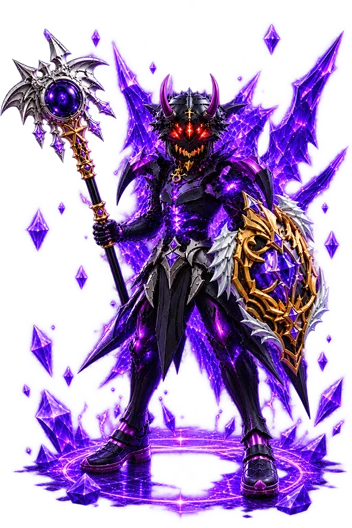
The SSW demon knight

What it does

Diamonds is why I built it. The other setups came after.

Diamonds

SSW sits on the Exchange Center so you don't have to. It waits for a Diamonds listing and taps Purchase the moment it sees one. On SEA it then checks your crystals to make sure the purchase really went through, and tries again if it didn't.

Start it, go to sleep or go to work, and read the Discord message later.

SEAGlobal

Claim

Keeps claiming for you. Type a number and it stops by itself when your Low Tax Quota reaches it.

SEA

Fishing

Casts, then reels in the moment the Reel button turns green.

SEAGlobal

Gardening

Harvests on the game's gathering cycle, answers the math challenge, and tells you when your stamina will be used up.

SEAGlobal

Mission Board

Accepts the Carnival's Mission Board quests, does each Daily quest in turn and submits it.

SEA

And around the runs

Discord alerts when a run finishes or stops, a timetable for when to run, a panic-stop hotkey, and a control bar right on the game.

Tutorial videos

See it run before you try it.

Screenshots

Tap a picture to see it full size.

Download

Always the newest version.

Windows PC

Windows 10 or 11. Run the game at 1280×720 or 1920×1080.

Download for PC .zip
  1. Right-click the zip, choose Extract All… and pick a permanent folder such as C:\SSW.
  2. Open SSW.exe.
  3. Windows says it protected your PC? Click More info, then Run anyway.
Step-by-step PC guide (PDF)

Android

Works on LDPlayer, MuMu Player and UgPhone. Run the game at 1280×720.

Download for Android .apk
  1. SSW isn't from the Play Store, so turn off Play Protect scanning first.
  2. Open the APK from your Files app and tap Install.
  3. Turn on the two permissions SSW asks for.
Step-by-step Android guide (PDF)

Pricing

One license covers one device. A PC license doesn't work on a phone, and a phone license doesn't work on a PC.

$5 30 days
$25 180 days Save 17%
$45 365 days Save 26% · best value

Why this price? The game only has so much stock to go around. Every extra person running SSW competes for the same items, and when too many chase too little, everyone's results get worse, yours included. The price keeps our group small enough that it stays worth using.

Try it free for 3 days

  1. Download SSW and open it.
  2. On the activation screen, open Get a license (PC) or Subscribe (Android).
  3. Fill in your name and your Discord tag or email, then ask for the 3-day free trial.
  4. When your license arrives, paste the whole line and press Activate.

Subscribe

  1. On the same screen, choose how many days you want.
  2. Pay with the QR code it shows (InstaPay / QR Ph, any PH banking app) or by card.
  3. Press Copy message. SSW writes it for you with your Machine ID in it.
  4. Send me that message on Discord with your receipt. I send licenses by hand, so yours arrives when I reply.

Got a question?

Ask me on Discord. I answer trial requests and setup questions there myself.

Join the SSW Discord